How to Get an LTO Client Number in the Philippines 2026
Navigating the rules of the Land Transportation Office (LTO) in the Philippines can feel like a big challenge. Whether you want to drive a car, ride a motorcycle, or work as a conductor, you have to follow specific steps set by the government. One of the most important things you need for any official transaction today is your unique lto client number.
If you are new to dealing with vehicle registrations or driving permits, you might be asking yourself: What is this number, and why does everyone keep talking about it?
This ultimate 2026 guide will break down everything you need to know. We will explain how to register for your ID online, where to find it if you already have one, and what to do if you lose your login details. Let’s look at the simple steps to getting your official credentials without any stress.
What Is an LTO Client Number?
When you start doing business with the Land Transportation Office, you are no longer just a name in a paper file. The agency uses a digital system to track every driver, vehicle owner, and conductor across the country. To keep things organized, the system gives each person a unique identification profile, which also helps when accessing services such as LTO-Accredited Driving Schools.
What Is an LTO Client ID?
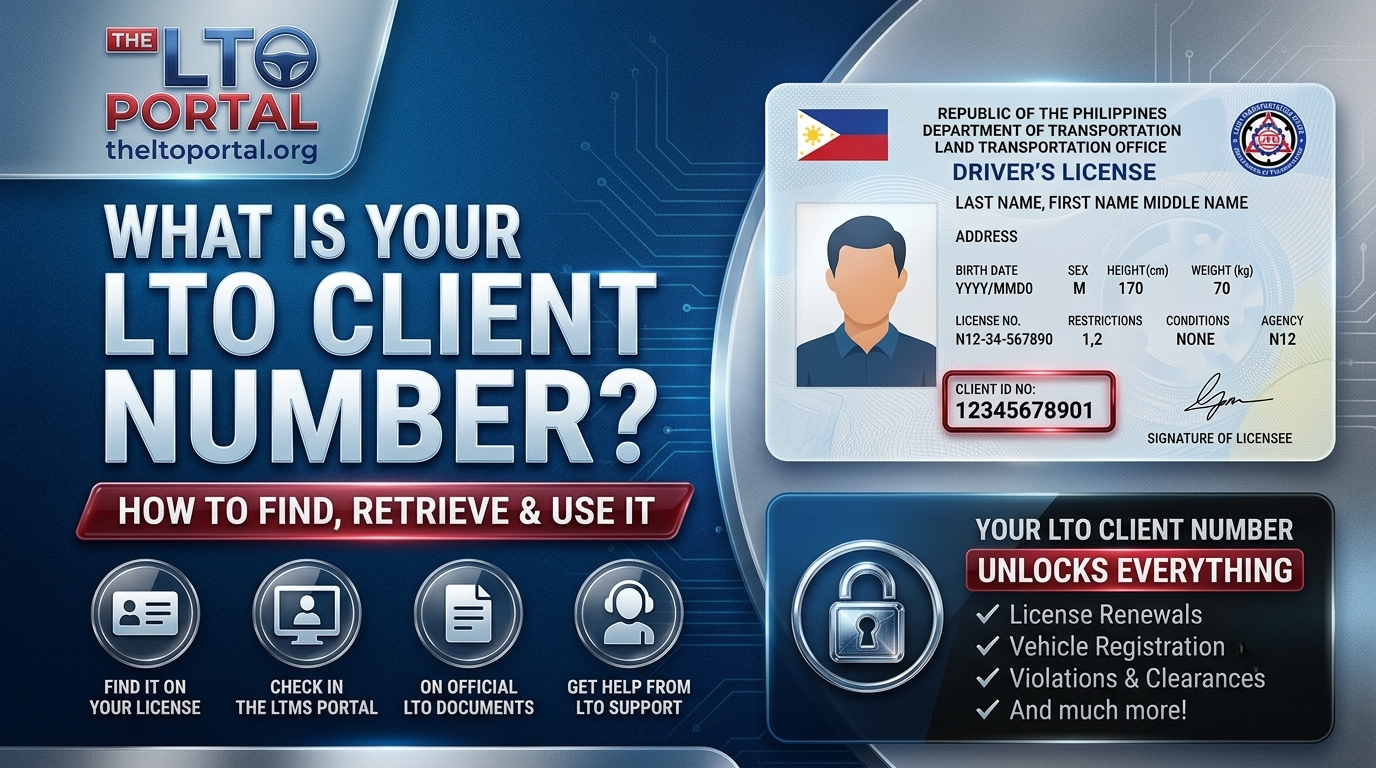
An lto client id is a unique number given to any individual who registers in the official database of the Land Transportation Office. Think of it as your personal account number for everything related to land travel and transport laws. When you ask, what is lto client number functionality?, the answer is simple: it acts as your verified digital id.
Is an LTO Client Number the Same as a Driver’s License Number?
This code connects your name, birthdate, address, and biometric data to a centralized secure network. Instead of looking through thousands of physical folders, an officer can type in this ID number to see your complete history immediately. It is your permanent identity within the transport agency’s network.
A very common question asked by motorists is: is lto client number same as license number? The answer is no. They are two completely different things.
Your Driver’s License Number: This is a specific code printed on your physical card that shows you have passed the driving tests and are legally allowed to operate a motor vehicle on public roads.
Your LTO Client ID Number: This is the overarching master ID number for your profile in the government database. You receive this number even before you take your first driving exam. For example, if you apply for a student permit or simply register a vehicle under your name without holding a license, you will still get a client number.
What Is an LTMS Portal Client ID?
To modernize its services, the government created the Land Transportation Management System, which everyone calls the LTMS. Therefore, an ltms portal client id is exactly the same thing as your client number. It is just the digital version of your ID that shows up when you access your personal profile through the internet.
When you read through the official driver’s manual or check recent licensing information, you will see these terms used interchangeably. Whether someone calls it an LTMS ID or a client number, they are talking about the exact same 15-digit code used to manage your records online.
Why Is an LTO Client Number Important?
In the past, going to a government office meant waiting in long lines and filling out multiple paper forms. Today, the system relies completely on digital profiles. Having your client number ready makes every transaction faster, smoother, and much safer.
LTO Transactions That Require a Client Number
You cannot complete most official tasks without presenting your client ID. The system requires this number to open your files and update your status. Here are the main transactions where your ID is strictly required:
Benefits of Having an LTO Client ID
The biggest benefit of having your profile registered is convenience. Once you have a verified digital id, you gain full access to the lto portal. This means you can book appointments online, pay your fees using digital wallets, and view your records from your smartphone at home.
It also protects your identity. Because your profile is locked to your unique personal details, no one else can use your name to register a stolen vehicle or get a fake license. It ensures that your official traffic records stay accurate and secure.
Who Needs an LTO Client Number?
Virtually everyone who interacts with the transport authority needs this number. It is not limited to regular drivers. The database tracks different groups of people who use the public roads and transportation systems.
Requirements to Get an LTO Client Number
Before you try to register online or walk into a physical office, you need to gather your personal records. Having these ready will prevent mistakes and keep your application from being rejected.
Required Documents
The specific documents you need depend on your age and nationality. For most citizens, the requirements are very straightforward:
Accepted Valid IDs
The online registration portal accepts a wide range of official identification cards. To ensure your account is verified quickly, make sure to use one of these preferred options:
Personal Information Needed
During the registration process, you will be required to fill out a digital form. Make sure you know the exact spelling and details of the following information:
How to Get an LTO Client Number tracker
There are two main ways to secure your client ID. You can either register completely online using a computer or phone, or you can visit a local branch office to have an employee assist you.
Register Through the LTMS Portal
The fastest and most popular method is LTMS Portal Registration. It allows you to create your profile from the comfort of your home without standing in hot lines.
Step 1: Navigating the Official Website
Open your web browser and visit the official website of the Land Transportation Office. Look for the link that directs you to the LTMS Portal login page. Click on the button that says “Register Now” or “Join as an Individual.”
Step 2: Accept the Terms of Service
Read through the terms of agreement and privacy policy. Check the box to confirm that you understand how your data will be used, and click next.
Step 3: Enter Your Enrollment Category
Select “Individual” if you are creating a personal account for yourself. The system will ask if you already hold a Philippine driver’s license. Select “No” if you are a first-time applicant.
Step 4: Input Personal Details
Carefully fill in your citizenship, name, birth date, and mother’s maiden name. Ensure everything matches your valid ID exactly.
Step 5: Email Verification
Type in your active email address. The system will immediately send a secure confirmation link to your inbox. Open your email, click the verification link within 24 hours, and create a strong password for your account.
Step 6: Client Number Generation
Once your email is verified, go back to the lto portal login page. Log in using your email and password. Your newly generated 15-digit profile ID will display clearly on your main dashboard screen.
Apply at an LTO Office
If you do not have a smartphone or an internet connection, you can complete your lto client number registration by walking into any nearby branch office.
Step 1: Visit the Office
Go to the nearest district office or licensing center. It is always best to arrive early in the morning to beat the crowds.
Step 2: Request a Public Assistance Form
Approach the customer care desk or information counter. Inform the staff that you need to register for an LTMS client profile. They will hand you a physical application routing slip.
Step 3: Fill Out Your Details
Sit down and clearly write your personal information on the form using black or blue ink. Double-check your contact number and email address for typos.
Step 4: Verification Process
Submit your filled form along with your valid physical ID to the assigned counter officer. The employee will type your data into their internal system to check for any duplicate names.
Step 5: Biometric Capture
You will be asked to step up to a camera and a digital fingerprint scanner. The officer will capture your photo and signature to link them securely to your profile.
Step 6: Receiving Your Client Number
Once the data entry is complete, the officer will print out a temporary document or writing slip containing your official client ID number. Keep this paper safe.
Where to Find Your LTO Client Number
If you have registered in the past, bought a vehicle, or obtained a temporary license card, you already have an active profile number. You do not need to register again. Here is where to find lto client number details quickly on your documents.
Find It in the LTMS Portal
The easiest way to check is online. Perform an lto portal login using your laptop or smartphone. As soon as your personal dashboard loads, look at the top left corner of the screen under your profile picture. Your unique 15-digit code will be displayed there prominently.
Find It on Your Driver’s License
If you hold a physical plastic license card issued within the last few years, your ID is printed right on it. Look at the front face of your card. You will see a field labeled “Client ID” or “Serial Number.” This is your official account number.
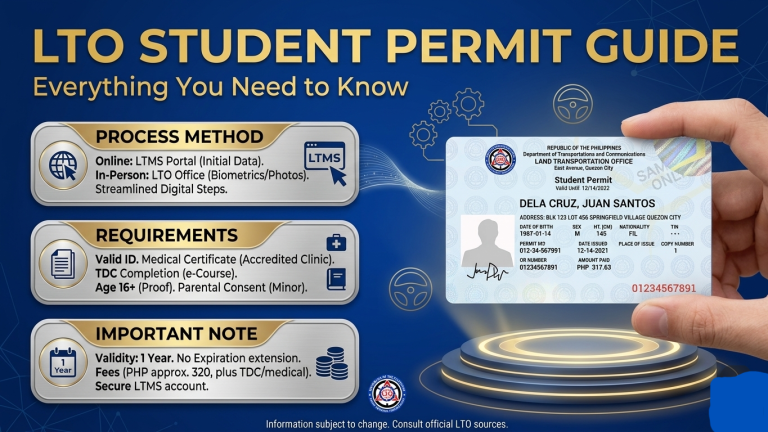
Find It on Your Student Permit
If you currently hold an official paper Student Permit, take it out and inspect the upper sections. Your profile number is printed clearly near your name and birth date, usually marked as “Client Number.”
Find It on the Official Receipt (OR)
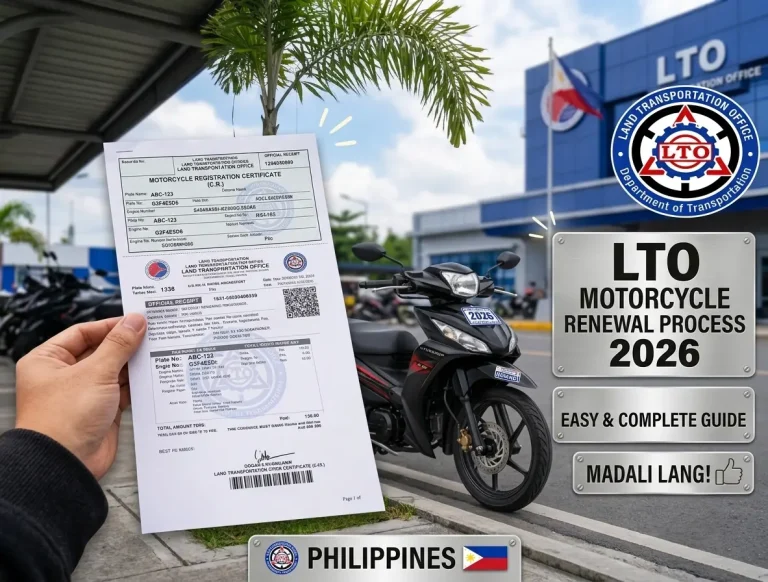
Whenever you pay for a transaction — like registering a motorcycle or paying a fine — you receive a blue or white paper printout called the Official Receipt (OR). Look at the top section of this receipt where the payor’s information is listed. You will see your client reference number printed right next to your name.
Find It Using Previous LTO Records
If you cannot find your old receipts or licenses, look through your email inbox. Search for terms like “LTMS”, “LTO Registration”, or “Portal Verification”. The original automated emails sent to you when you first created your account will contain your registration data.
How to Recover a Forgotten LTO Client Number
It happens to everyone — you need to log in to complete a vehicle renewal, but you suddenly realize, i forgot my lto client number. Do not panic. There are clean recovery steps you can take even if you no longer have access to your old contact details.
Forgot Your LTO Client Number and Email Address
The toughest situation is when you forget your ID and you no longer have access to the email address you used during registration. If you find yourself thinking, how to recover lto client number without email options?, you cannot simply use the automated online reset button.
Because of strict data privacy laws, the system cannot show your confidential ID to just anyone. You must prove who you are to prevent identity theft.
Recover Your Client Number Without Email
If you do not have your old email, you have two real options. First, check your physical vehicle documents or an old driver’s license copy as explained earlier. If you have absolutely no paper records left, you must proceed to the next step: visiting an office or reaching out to support agents directly.
Recover Through the LTMS Portal
If you still have your registered email address but simply forgot your specific ID or password, recovery is quick:
Contact LTO Customer Care
If you are locked out completely, you need human assistance. You can contact the dedicated customer care team through their official channels:
Hotline: Call the official central agency hotline numbers listed on their main website.
Email Support: Send an email detailing your full name, birthdate, and attach a photo of your valid ID.
In-Person Visit: Walk up to the customer service counter at any branch. The staff can search the database using your full name and biometric data to retrieve your original account details.
How to Check Your LTO Client Number
If you simply want a quick verification to ensure your profile is active and clean before a major transaction, you can run a quick check.
Check Online Using LTMS Portal
Log in to the system to use it as a profile checker. Once inside, navigate to the “Profile” tab. Here, you can review your registered address, contact information, and where to find lto client number in license status to ensure everything is up to date for 2026.
Check at an LTO Office
If you prefer face-to-face service, an office worker can use their internal database as a finder tool. Present your valid ID card, and they will confirm if your digital account is active or if there are any issues with your profile.
Check Through Customer Support
You can also use the official social media help desks or regional email contacts to run a data search. Always ensure you are messaging an officially verified government page to keep your private information completely secure.
Common Problems and Solutions
Using modern digital platforms can sometimes result in errors or confusing messages. Here are the most frequent glitches users encounter and how to fix them easily.
Duplicate LTMS Portal Account
This is the number one issue for many motorists. If you try to create a new profile but the system displays an error saying “Record Already Exists,” it means your name is already linked to an existing client ID.
The Solution: Do not try to make another account. You must visit a branch office and request an account consolidation or an email update so you can access your original profile.
Incorrect Personal Information
If you notice that your name is misspelled or your birth year is wrong on your digital dashboard, you cannot edit these fields yourself online.
The Solution: You must file an official update online request or visit an office counter with your birth certificate to have an administrator manually correct the database details.
Login Problems
If the page hangs or says “Invalid Credentials” repeatedly, your browser might be storing broken data caches.
The Solution: Clear your internet browser’s cookies and history, or try logging in using an alternative web browser. Ensure your Caps Lock key is turned off when typing your password.
Email Verification Failed
Sometimes, the verification link does not arrive in your email inbox after you complete your initial registration form.
The Solution: Check your Email Spam or Junk folders. If it is not there, wait 10 minutes and click “Resend Code.” Make sure you did not mistakenly type “gamil.com” instead of “gmail.com”.
Unable to Access LTMS Portal
During peak hours (usually mid-day on weekdays), the servers can become overloaded and slow down significantly.
The Solution: Try to perform your online transactions early in the morning (before 8:00 AM) or later in the evening (after 6:00 PM) when internet traffic is much lighter.
LTO Client Number Sample and Format
Understanding how your ID looks will help you spot it quickly on crowded paper documents or official forms.
LTO Client Number Example
An official client identification code never contains random letters or special characters like hyphens or slashes. It is a solid, clean block of digits.
LTO Client ID Sample
A typical active profile ID looks like this: 123456789012345. When filling out official forms, always write down the numbers continuously without adding spaces or dashes unless the form explicitly asks you to separate them into boxes.
Understanding the 15-Digit Client Number Format
The 15-digit configuration is not random. The system uses a specific structural format to build your number:
| Digit Grouping | What It Identifies |
| First 2 Digits | The original region code where you first registered |
| Next 2 Digits | The year your account was officially created |
| Remaining 11 Digits | Your unique sequential system database record number |
Tips for Keeping Your LTO Client Number Safe
Your digital profile holds your private data, your vehicle ownership records, and your legal right to drive. Treat it with the same high level of security you use for your online banking accounts.
Frequently Asked Questions
Final Thoughts
Securing and managing your profile ID is the most important step to mastering transport transactions in the Philippines today. By keeping your digital account active, double-checking your paperwork for your 15-digit code, and protecting your login credentials, you can completely avoid stressful delays. Keep this guide handy for your next transaction, and enjoy a smooth, hassle-free experience on the road!