LTO Tracker
The Land Transportation Office in the Philippines has made it easier than ever to monitor your documents online. If you are waiting for your vehicle plate or driver’s license, you no longer need to stand in long queues. The LTO Tracker is a free online tool that gives you real-time updates on your plate number and license status from home.
Whether you want to use the LTO plate tracker to check delivery progress or simply verify your application status, this guide covers everything you need to know.
What Is LTO Tracker?
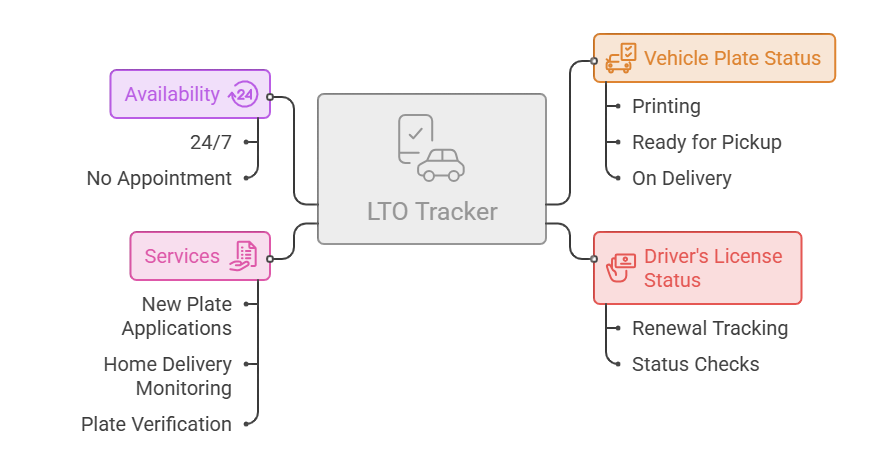
The LTO Tracker is a free digital platform that connects to the Land Transportation Office database. It lets motorists check the status of their vehicle plates and driver’s licenses online without visiting any office.
You can use the lto tracker system to find out if your plate is still being printed, ready for pickup, or already on its way to your address. The tool is linked to the LTO online database, so updates are pulled directly from official records.
The tracker works for:
This tool is available 24 hours a day, 7 days a week. No appointment needed.
How to Use LTO Tracker (Step-by-Step)
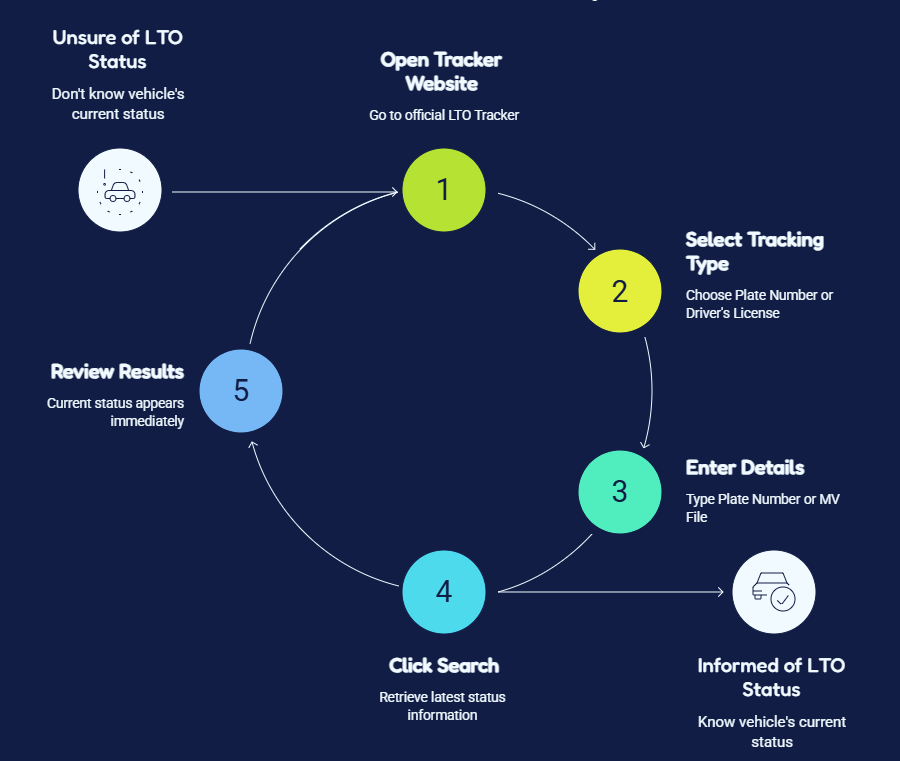
Checking your status on the LTO tracker plate number system takes less than two minutes. Follow these steps:
Step 1 — Open the tracker website Go to the official LTO Tracker URL on your phone or computer. Make sure you are on the correct site to protect your personal information.
Step 2 — Select your tracking type Choose whether you want to track a Plate Number or a Driver’s License.
Step 3 — Enter your details Type in your Plate Number or MV File Number. Always double-check what you enter — mixing up the number zero (0) with the letter “O” is a common mistake.
Step 4 — Click Search Hit the Search button to retrieve your latest status.
Step 5 — Review your results Your current status will appear on screen immediately.
If you are unsure how to check plate number in LTO, always use your MV File Number first. It is more reliable than searching by plate number alone, especially for new vehicle owners.
How to Track Your Vehicle Plate Status
The LTO plate tracker is the most used feature on the platform. It shows you exactly where your vehicle plate is in the production and delivery process.
To do an LTO plate number check online, you need one of these:
Enter either one into the search box and click Search. The system will show your current plate number status in the Philippines — whether it is being produced, sitting at a district office, or already dispatched.
Why this matters: Driving without a proper plate can result in penalties. A regular plate number check keeps you informed so you can act fast when your plate is ready.
Common reasons for delays
| Reason | What to Do |
| Incomplete documents | Contact your LTO branch |
| High application volume | Wait and check again in 3–5 days |
| Data entry errors | Visit LTO office with your OR/CR |
| Delivery backlogs | Monitor tracker daily |
Use your MV File Number for an LTO plate check if your physical plate has not been issued yet. This number connects directly to your vehicle registration records.
How to Check Driver’s License Status Online
Besides plate tracking, you can also monitor your driver’s license application through the same platform.
Steps to check your license
For full account access, use the LTMS Online Portal. After completing your LTMS portal login, you can view:
Always use the official LTO log in page. Fake sites that look similar are used to steal personal information.
LTMS Portal Login Steps
LTO Tracker Status Meanings Explained
When you run an LTO tracker delivery or plate check, one of these status messages will appear. Here is what each one means
In Process or Under Process
Your plate or license is still being manufactured or reviewed. No action is needed at this stage. Processing times vary depending on application volume at the time.
Available for Pickup
Your item is printed and waiting at your designated LTO district office. Bring your required documents and visit the office to collect it.
Ready for Delivery
Your plate or license has finished production and is packed for shipment. If you selected home delivery, the courier will collect it soon.
Dispatched or Shipped
The courier has picked up your package. Your LTO tracker plate number delivery is now active. Expect delivery within a few business days depending on your location.
“Not Found” – What to Do
A “Not Found” result usually means one of these things:
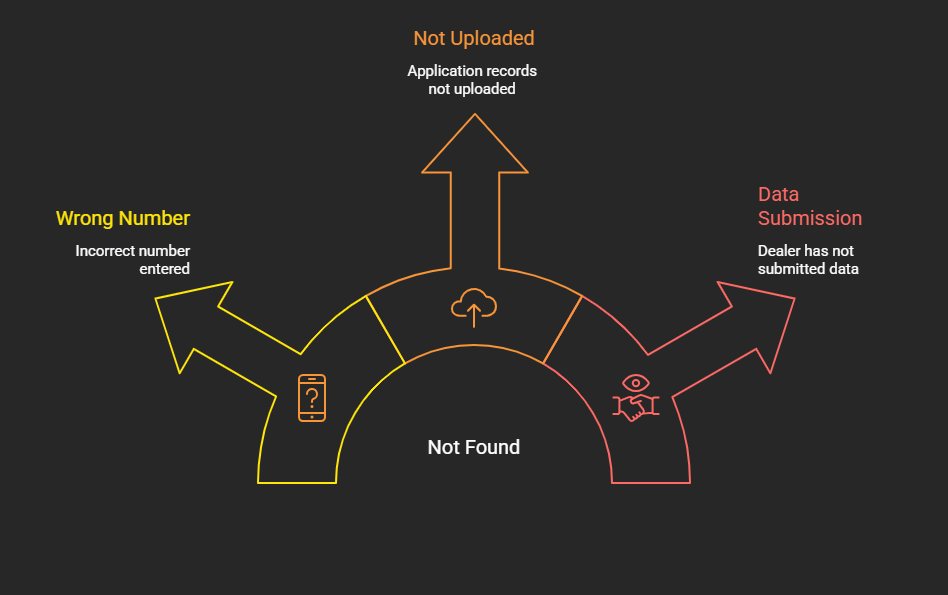
What to do
For proper LTO plate number verification, bring your OR/CR to the office and request a manual status check. The staff can confirm whether your LTO plate verification records match the LTO tracker plate number verified database.
LTO Pickup Service – Rules & Requirements
If your status shows “Available for Pickup,” you can collect your LTO plate or license in person. Here is what you need:
Required documents
For authorized representatives
Before you go
LTO Home Delivery Service – Rules & Requirements
The LTO plate delivery service lets you receive your plate or license at home. This removes the need for any office visit and is one of the most convenient features of the system.
Once your status updates to “Ready for Delivery,” you can request shipment through the LTO tracker plate number delivery option.
Delivery Requirements Checklist
Before requesting delivery, make sure you have:
Upon delivery, you must:
Delivery Fee Structure
| Location | Estimated Fee |
| Metro Manila | ₱150 – ₱200 |
| Luzon (Outside Metro Manila) | ₱200 – ₱300 |
| Visayas | ₱300 – ₱350 |
| Mindanao | ₱350 – ₱400 |
| Remote Provincial Areas | ₱400 – ₱600 |
Fees go directly to the courier service provider, not to the LTO. Confirm the exact amount before submitting your delivery request.
To track my plate number delivery after payment, use the tracking number provided by the courier. Enter it on the courier’s own tracking page for real-time delivery updates.
LTO Plate Number Check – Owner Verification
An LTO plate number check owner search lets you verify that your vehicle registration details are correct. This is especially useful for:
Ways to do an LTO plate number check
| Method | Purpose | Input Required |
| LTO Tracker Online | Full status check | Plate Number or MV File Number |
| LTMS Portal | Account-based verification | Login credentials |
| SMS (LTO VEHICLE to 2600) | Quick status check | Plate Number via text |
| Plate number scanner | On-road rapid check | Scanner app tool |
The lto tracker plate number 2026 scanner tool is used by traffic enforcers for instant checks. Fleet owners and vehicle buyers also use scanner apps to run quick checks before completing a purchase.
LTO Plate Number Check – Owner Verification
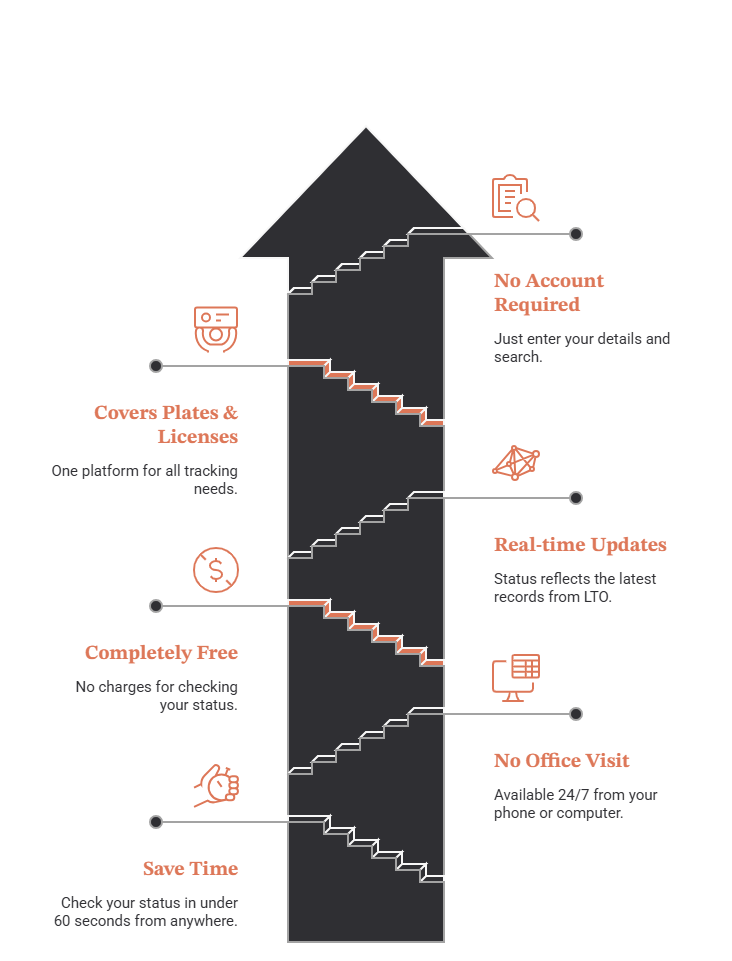
Here is why thousands of Filipino drivers use the LTO tracker app and web tool every day:
The LTO Tracker Philippines license plate status system is one of the most practical government-linked tools available to Filipino motorists today.lto tracker app
Tips for Smooth Tracking
Follow these tips to get the best results from the LTO tracker plate number 2026 system:
Using the LTO plate number philippines tracker regularly keeps you informed and helps you act quickly when your plate or license is ready.
Frequently Asked Questions
Disclaimer: This article is for informational purposes only. This site is not affiliated with the official Land Transportation Office of the Philippines or the LTMS Online Portal. For official transactions, always visit lto.gov.ph or the LTMS portal directly. Fees and policies are subject to change.