LTMS – Your LTO Services, All in One Place
LTO Portal Philippines Login, Registration & LTMS Online Services 2026
Renew your driver’s license login or register your vehicle and access LTO services all online on LTMS portal. Foreign Resident Licensing
The LTO Portal is the official online platform of the Land Transportation Office (LTO) in the Philippines. It lets you renew your driver’s license, register your vehicle, track your plate number, and pay fees — all from home. This guide covers everything you need to know about the LTMS Portal in 2026.
What Is The LTO Portal (LTMS Portal)?
Overview Of The LTMS Portal
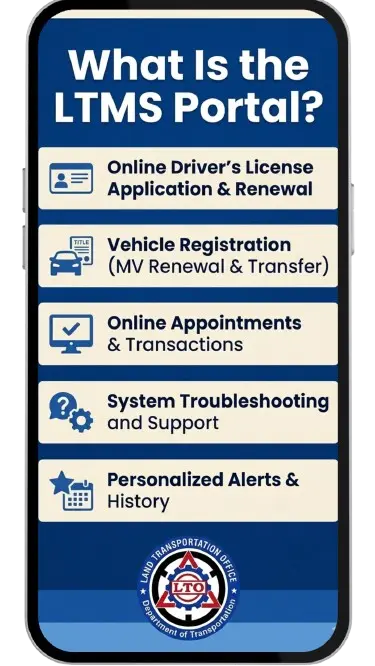
The LTMS Portal (Land Transportation Management System Portal) is the digital system of the Land Transportation Office. It was made to reduce long lines at LTO offices. Now, Filipino drivers can do most transactions online without going to a branch.
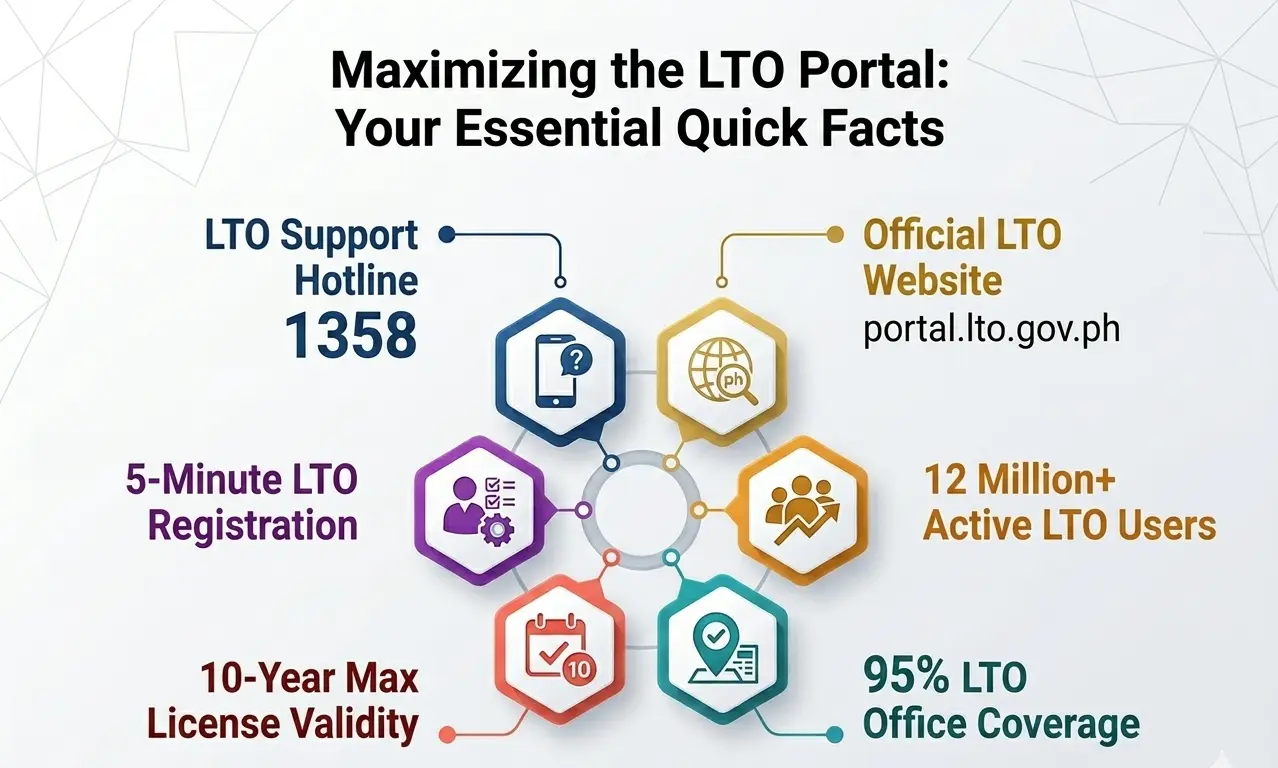
The portal is available at the official LTO portal website: https://portal.lto.gov.ph. This is the only real and trusted site for LTO Online Portal services. Avoid fake websites that look similar.
Land Transportation Office (LTO) Online System
The Land Transportation Office handles all driver’s licenses and vehicle registration in the Philippines. Before the LTMS Portal, people had to visit an LTO office for every transaction. This took hours or even a full day. The portal lto system changed that. Now you can do many tasks in just a few minutes online.
Official LTO Portal Website Access
To access the LTO official webpage, go to https://portal.lto.gov.ph. You can also search “LTO Portal” on Google and click the official government agency showcasing link. Do not use third-party sites to log in. Your personal data must stay safe.
Verified Digital ID & Online Verification
The LTMS Portal uses a verified digital ID system. When you register, LTO checks your personal details against their database. This makes sure that only real license and vehicle owners can access the portal. Your account gets linked to your official LTO records.
Benefits Of Using The LTO LTMS Portal
Using the LTO LTMS Portal saves time and money. Here are the main benefits:
LTO Portal Registration Requirements
Before signing up, get these ready:
Qualifications For LTMS Portal Registration
You must be a registered LTO client. This means you already have a driver’s license or a registered vehicle under your name. New applicants who do not have any LTO record yet must visit a branch first.
Documents Needed For Registration
You will need the following:
Student Permit & Driver’s License Requirements
For student permit requirements, you need to be at least 17 years old. Required documents include a birth certificate, medical certificate, and valid ID. After getting your student permit, you can apply for a non-professional license after holding it for at least one year.
Vehicle Registration Requirements
For vehicle login registration , you need the original OR/CR, valid insurance (CTPL), and a PNP-HPG clearance for second-hand vehicles. Make sure all details match your LTO records before registering online.
How To Register In The LTO Portal
Step-By-Step LTMS Portal Registration
Follow these steps to create your LTMS Portal account:
This is the full process for how to create an account in the LTMS Portal of the LTO.
Account Verification Process
After submitting your registration, LTO will send a verification link to your email. Click the link to activate your account. If you do not see the email, check your spam folder. The link usually expires after 24 hours.
Gmail Verification For LTO Portal
Many users register using Gmail. The Gmail LTO Portal verification email comes from the official LTO system. Make sure to use a working Gmail account. Avoid using old or inactive emails since the OTP and verification links are sent there.
Common Registration Problems & Fixes
If you cannot register, check these possible issues:
LTO Portal Login Guide
How To Login To LTMS Online Portal
To log in to the LTMS Portal, go to https://portal.lto.gov.ph and click “Login.” Enter your registered email and password. Click “Sign In” to access your account dashboard.
Forgot Password Recovery
If you forgot your password, click “Forgot Password” on the LTO portal login page. Enter your registered email. LTO will send a password reset link. Click the link and create a new password. Make sure your new password is strong — use letters, numbers, and symbols.
Login Errors & Solutions
Common LTO log in errors include:
Secure Account Access Tips
Always log out after using the portal. Do not share your password with anyone. Use a secure internet connection. Avoid logging in on LTO Public Portal computers or shared devices.
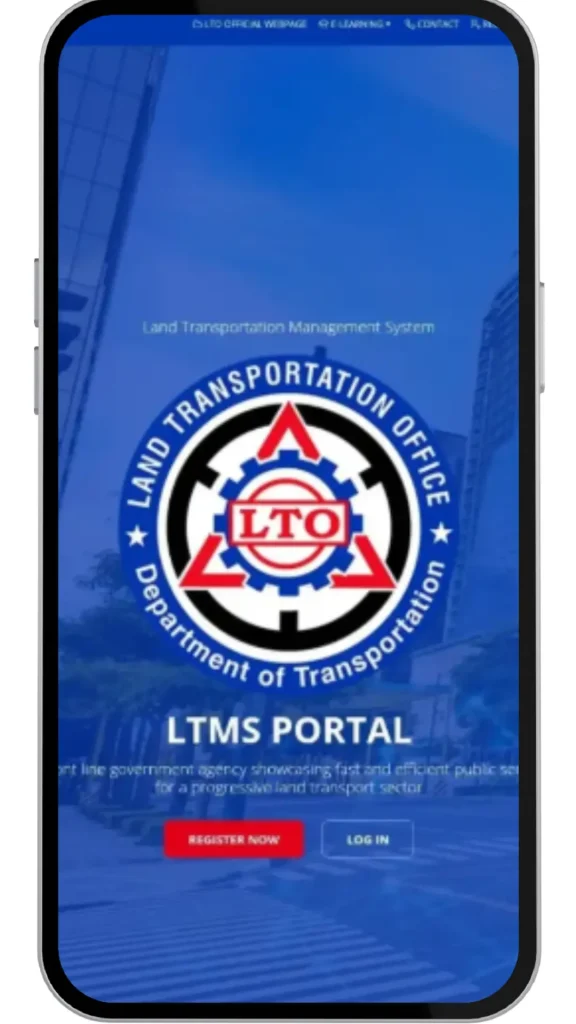
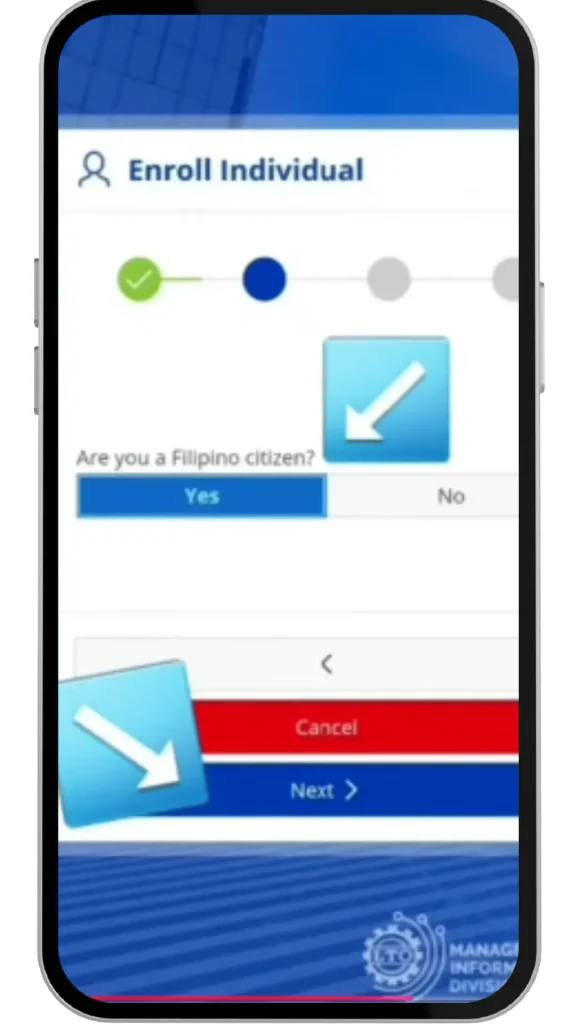
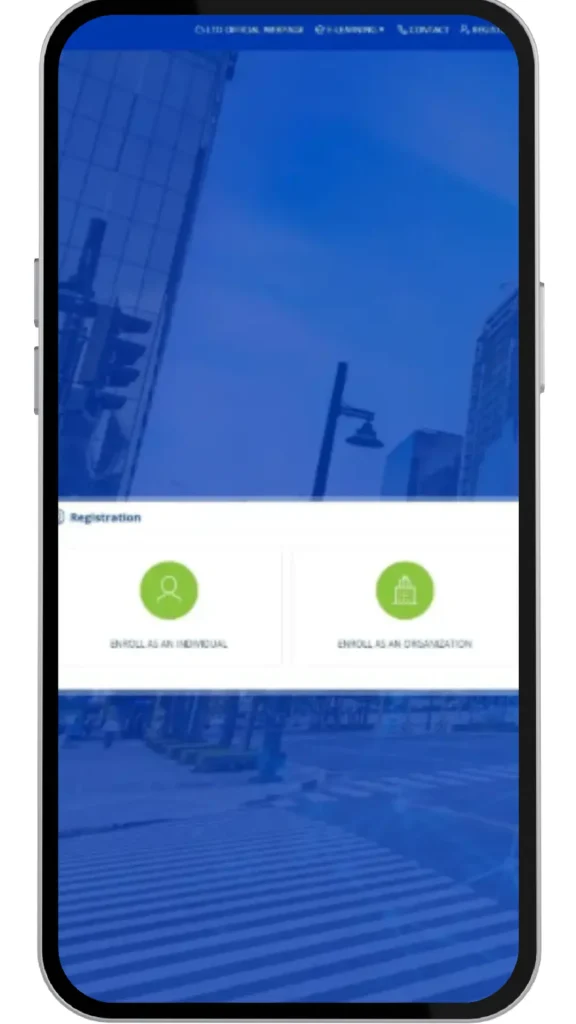
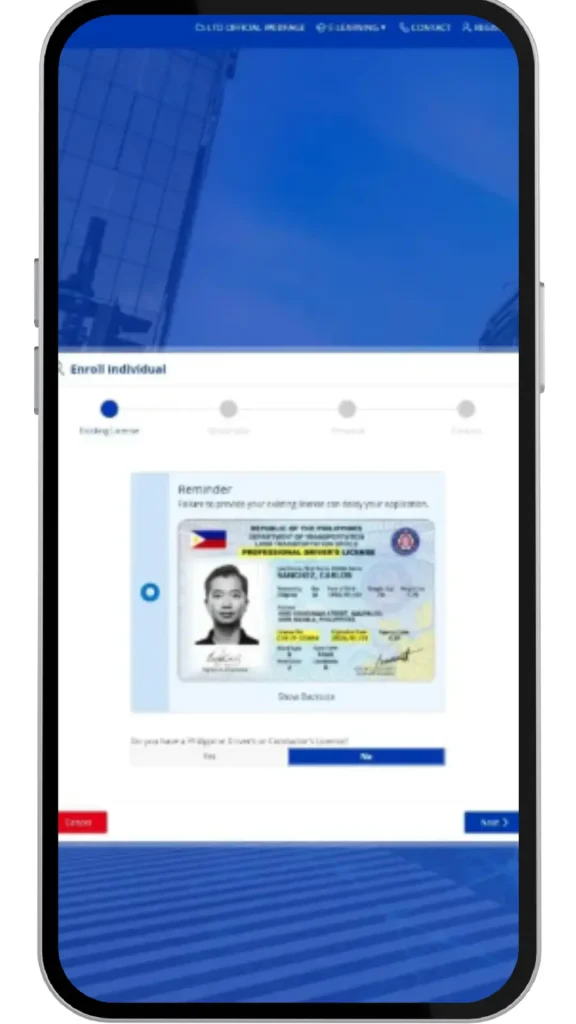
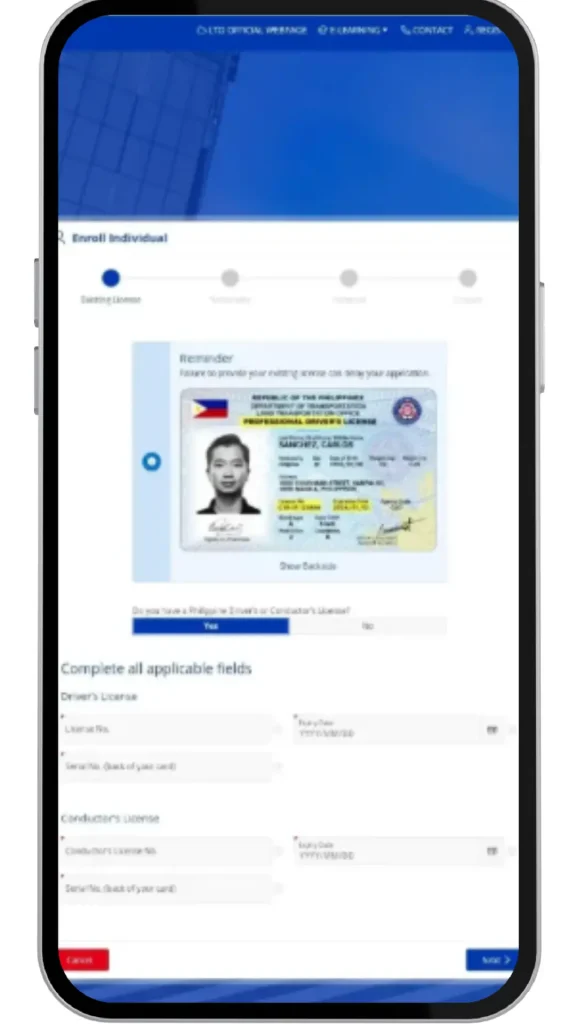
LTO Portal Login Guide
The LTO Portal offers a wide range of services. Here is a complete list:
Driver’s License Renewal Online
LTO renewal can now be done partly online. You fill out the form and pay through the portal, then visit the LTO branch only for the actual biometric capture and license card printing.
LTO Portal Renewal Process
The LTO portal renewal process takes about 10–15 minutes online. You must renew your license before it expires. A late renewal means paying penalty fees. The portal shows your renewal due date on your dashboard.
Vehicle Registration Online
LTO registration for vehicles is also available online. You submit your documents digitally, pay the fees, and get your confirmation. You may still need to visit the branch for the actual sticker and OR/CR.
LTO Online Exam & Reviewer
The LTO reviewer is available inside the e-learning section of the portal. It covers road signs, traffic rules, and safe driving. After finishing the reviewer, you take the actual LTO online exam. Passing this is required before your on-road driving test.
Traffic Violations & Penalties Check
You can check your LTO violations and penalties through the portal. If you have unpaid violations, you can settle them online before renewing your license or registration. Unpaid violations can block your renewal.
Appointment Booking Services
The portal lets you book appointments at any LTO branch. You can choose your preferred date and time. You will receive a confirmation email or SMS. Always arrive on time since slots are limited.
Certificate Of Registration Services
You can request a copy of your certificate of registration LTO through the portal. This is useful if your original OR/CR is lost or damaged. Processing time varies per branch.
LTO Tracker & Plate Number Delivery
How To Track Your Plate Number Online
Go to the LTO Tracker tool at https://ltotracker.ph or use the tracking feature inside the LTMS Portal. Enter your plate number or MV file number to check the status.
LTO Tracker Plate Number Delivery
The lto tracker plate number feature shows if your plate is:
This is the most used tool for new vehicle owners waiting for their plates.
LTMS Portal Plate Number Verification
You can verify your lto plate number check online through the portal dashboard. It shows your vehicle details, plate number status, and registration expiry date.
Common Tracking Issues
If the tracker shows “no record found,” it may mean your plate is still being processed. Try again after a few days. If the problem continues, visit your LTO branch with your OR/CR.
LTO Online Exam & E-Learning System
How To Access The E-Learning Portal
Log in to your LTMS Portal account and go to the “E-Learning” section. Select your course — either for student permit or driver’s license renewal. Complete all modules before taking the exam.
Online Driver’s License Exam
The LTO online exam has 40 questions. You need to get at least 30 correct to pass. Topics include traffic signs, road rules, and safe driving practices. You can retake the exam if you fail.
CDE Online Validation Exam
The CDE online validation exam (Comprehensive Driver’s Education) is required for license renewal. It is taken through the LTMS Portal. It checks if drivers still know the updated traffic laws and road safety rules.
LTO Exam Reviewer & Practice Tips
Use the LTO exam reviewer inside the portal to prepare. Study all road signs, especially warning, regulatory, and informational signs. Review the Anti-Distracted Driving Act and seat belt laws. Practice daily for at least 30 minutes before your exam date.
Common LTMS Portal Problems & Solutions
OTP Not Received
Check if your mobile number is correct in your profile. Make sure you have signal and your SMS inbox is not full. Request a new OTP after 60 seconds.
Website Not Loading
Try a different browser like Chrome or Firefox. Clear your browser cache and cookies. Check your internet connection. The portal may also be under maintenance — try again after 1–2 hours.
Payment Failure Problems
If your payment fails, do not pay again right away. Check your bank or e-wallet first to see if the amount was deducted. If it was, wait for the portal to update. If not, try again with a stable internet connection.
Verification Delays
Account verification usually takes a few minutes to a few hours. If it takes more than 24 hours, contact LTO support with your registration details.
Account Locked Issues
After too many failed login attempts, your account gets locked. Wait 30 minutes, then try again. If still locked, use the “Forgot Password” option or contact LTO support.
How To Complete Transactions In Another LTO Branch
What Is A Mother File?
Your mother file is your main LTO record. It is kept at the branch where you first registered your license or vehicle. All your transaction history is in this file.
Requirements For Cross-Branch Transactions
To transact at a different branch, bring:
How To Transfer Your Mother File
Visit your original LTO branch and request a mother file transfer. Fill out the required form. The branch will process and send your file to the new branch. This takes 3–5 working days.
Important Reminders Before Using The LTO Portal
Correct Personal Information
Always use the exact name, birthday, and address that appear on your LTO records. Any mismatch will cause registration or verification errors.
Safe Online Payments
Only pay through the official portal or accredited payment partners. Never send money to personal accounts claiming to be LTO agents.
Protecting Your LTMS Account
Use a unique, strong password. Enable two-factor authentication if available. Never share your login details with anyone.
Official LTO Website Warnings
The only official LTO portal is https://portal.lto.gov.ph. If a website asks for your LTO login but has a different URL, it is fake. Report fake websites to LTO immediately.
Frequently Asked Questions
LTO Contact Information
Conclusion
The LTO Portal is one of the most useful government platforms in the Philippines. It saves time, reduces long lines, and brings LTO services directly to your phone or computer. Whether you need to renew your license, track your plate, pay violations, or take the online exam — the LTMS Portal has you covered.
Visit https://portal.lto.gov.ph today and create your account. Make sure your details are correct, use a secure connection, and always transact through the official site only.